Powerful Features for Digital Signage
TheiaCast combines playlist management with remote control for complete digital signage solutions
AI-Enabled Signage
Bring your own AI provider to write template copy, generate on-brief background images, suggest image alt text, and build a whole starter playlist from a one-line business description. Bring your own key, on every tier — no TheiaCast AI markup.
Playlist Management
Create and manage playlists for your digital displays. Schedule content with custom duration, time windows, day-of-week filtering, and calendar date ranges.
Item Transitions
Animate the change between playlist items - cut, fade through black, cross-dissolve, slide, or an angled wipe, with per-transition duration and direction. Preview the whole playlist exactly as a device would before assigning it.
Content Upload
Upload web URLs, images, videos, and PowerPoint presentations directly to your devices. Centralized content management makes updates quick and easy.
Remote Control
Control displays remotely with live streaming, click, type, and keyboard commands. Perfect for troubleshooting and interactive content.
Multi-Device Support
Manage multiple displays from one dashboard. Works on Raspberry Pi, Windows, Linux, and other devices.
Health Monitoring
Track device online/offline status and get real-time screenshots of your displays for monitoring.
Smart Scheduling
Give every display its own time zone so schedules follow local time. Use overnight time windows, calendar date ranges, and content publish/expiry dates so campaigns start and retire themselves.
Live Canvas Widgets
Drop live clock, countdown, and weather widgets into any zone of a free-form canvas design. Per-zone audio for video, and no separate "apply" step - edits reach screens the next time they reload.
Offline Alerts & Email
Get an email the moment a screen goes dark, with a configurable grace period to ride out brief blips. Send through SMTP, OAuth 2.0 (Microsoft 365 / Google Workspace), or Microsoft Graph.
Template Library
Design announcements, event posters, KPI boards, menus, and more from ready-made templates with a live preview — no external design tool needed.
Device Groups
Organize devices into nested groups with dynamic tag-based rules, then target playlists and broadcasts to a whole group at once.
Single Sign-On
Sign admins in with Microsoft Entra ID, any OpenID Connect provider (Okta, Keycloak, and more), or SAML 2.0 for ADFS and legacy directories — free on every tier, alongside local username/password login.
Webhooks
Send outbound HTTP callbacks for device, content, and playlist events to your own systems, with HMAC-signed payloads for verification.
Emergency Alerts
Poll a Common Alerting Protocol (CAP) feed and automatically broadcast qualifying severe-weather or emergency alerts to every screen — no one has to be watching.
Teams Relay
Re-broadcast a live Microsoft Teams meeting or Town Hall to selected — or all — screens full-screen, using Teams’ own RTMP-Out streaming — no extra hardware or software on the organizer’s side.
CEC Screen Control
Turn a display on or off and adjust its volume remotely over HDMI-CEC — no separate smart plug or remote needed — plus a per-device power schedule to turn screens on and off automatically. Available on supported devices.
See TheiaCast in Action
Explore the interface and discover how easy digital signage management can be
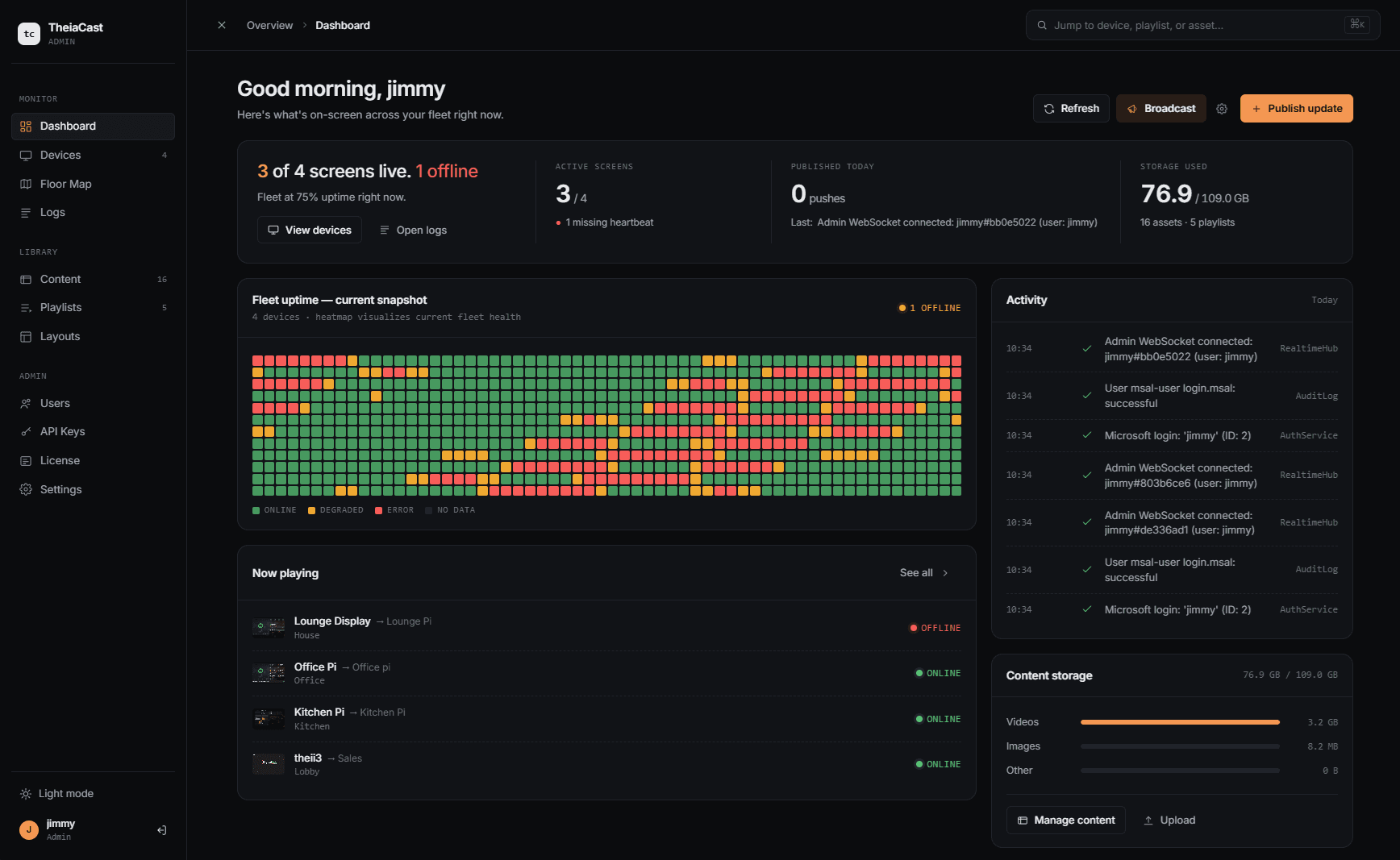
Comprehensive Dashboard
Monitor all your devices, playlists, and content from a single unified dashboard. Real-time status updates keep you informed at a glance.
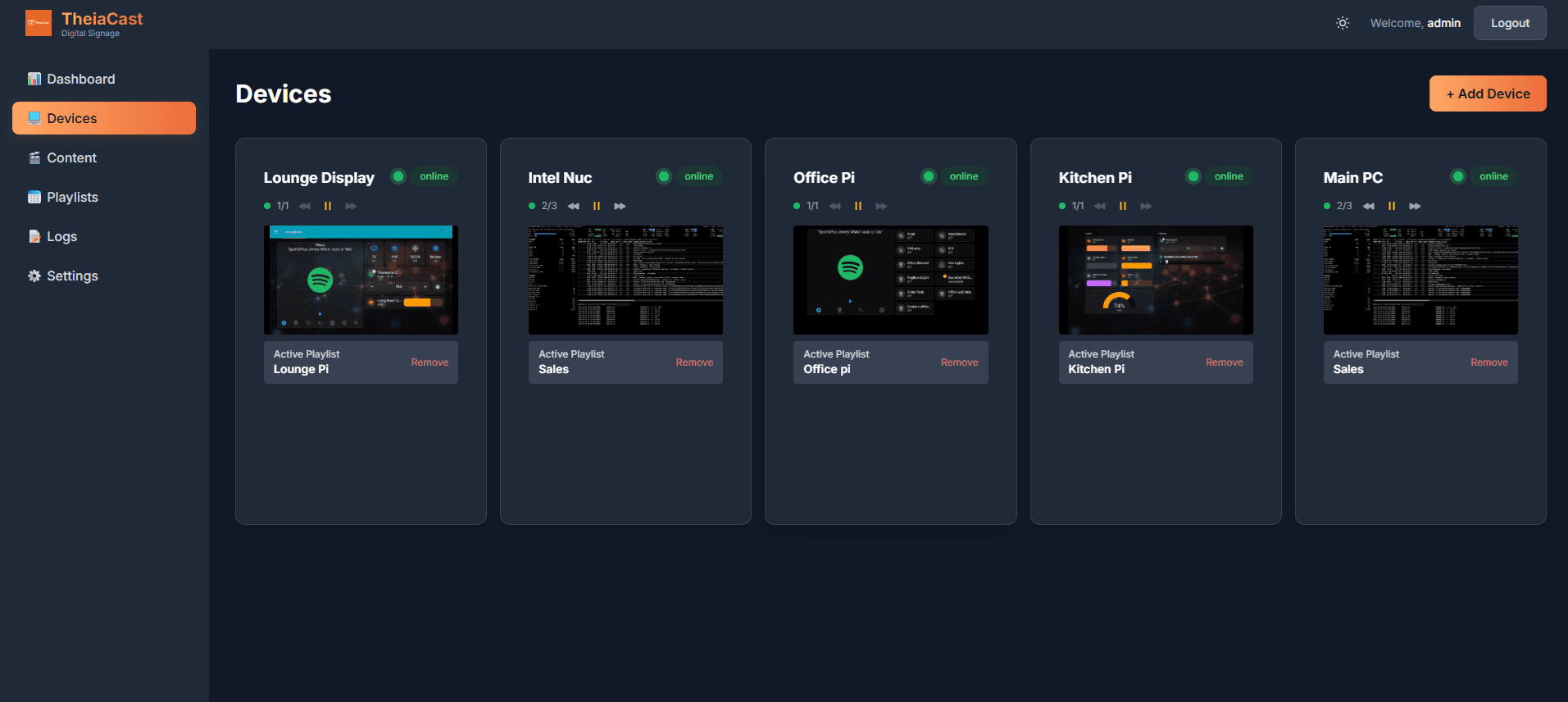
Device Management
Manage multiple displays with ease. View live screenshots, assign playlists, and control devices remotely with our intuitive interface.
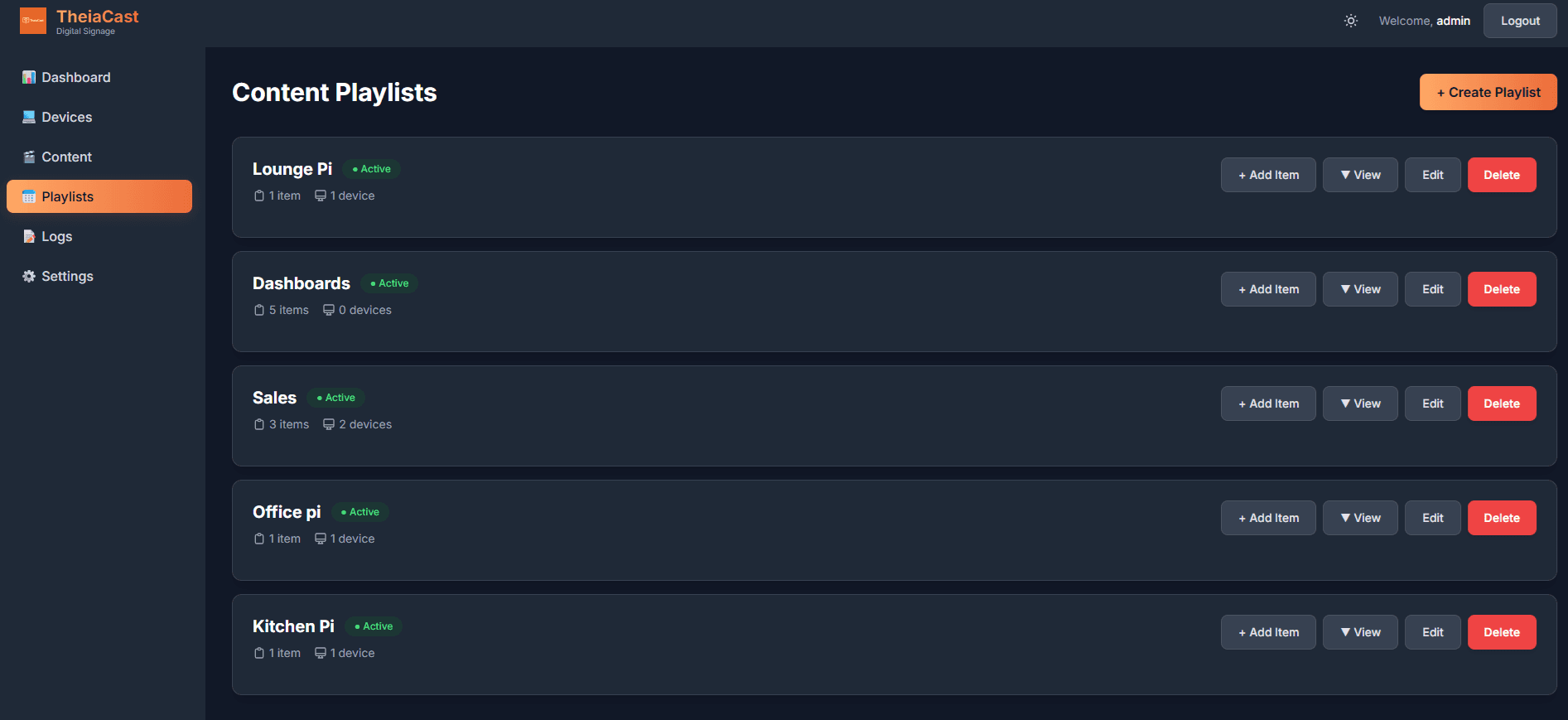
Playlist Control
Create sophisticated playlists with per-device time zones, overnight time windows, day-of-week filtering, and calendar date ranges. Perfect for dynamic content rotation that respects local time.
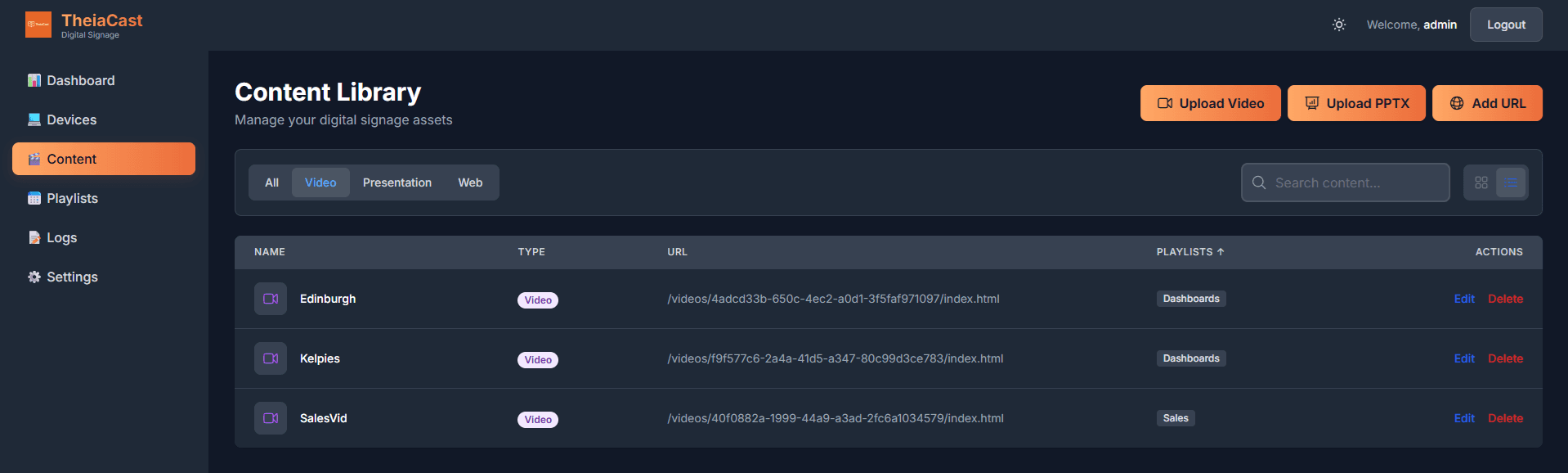
Content Library
Organize your content library with support for web URLs, images, videos, and PowerPoint (PPTX) presentations.
Canvas Designer
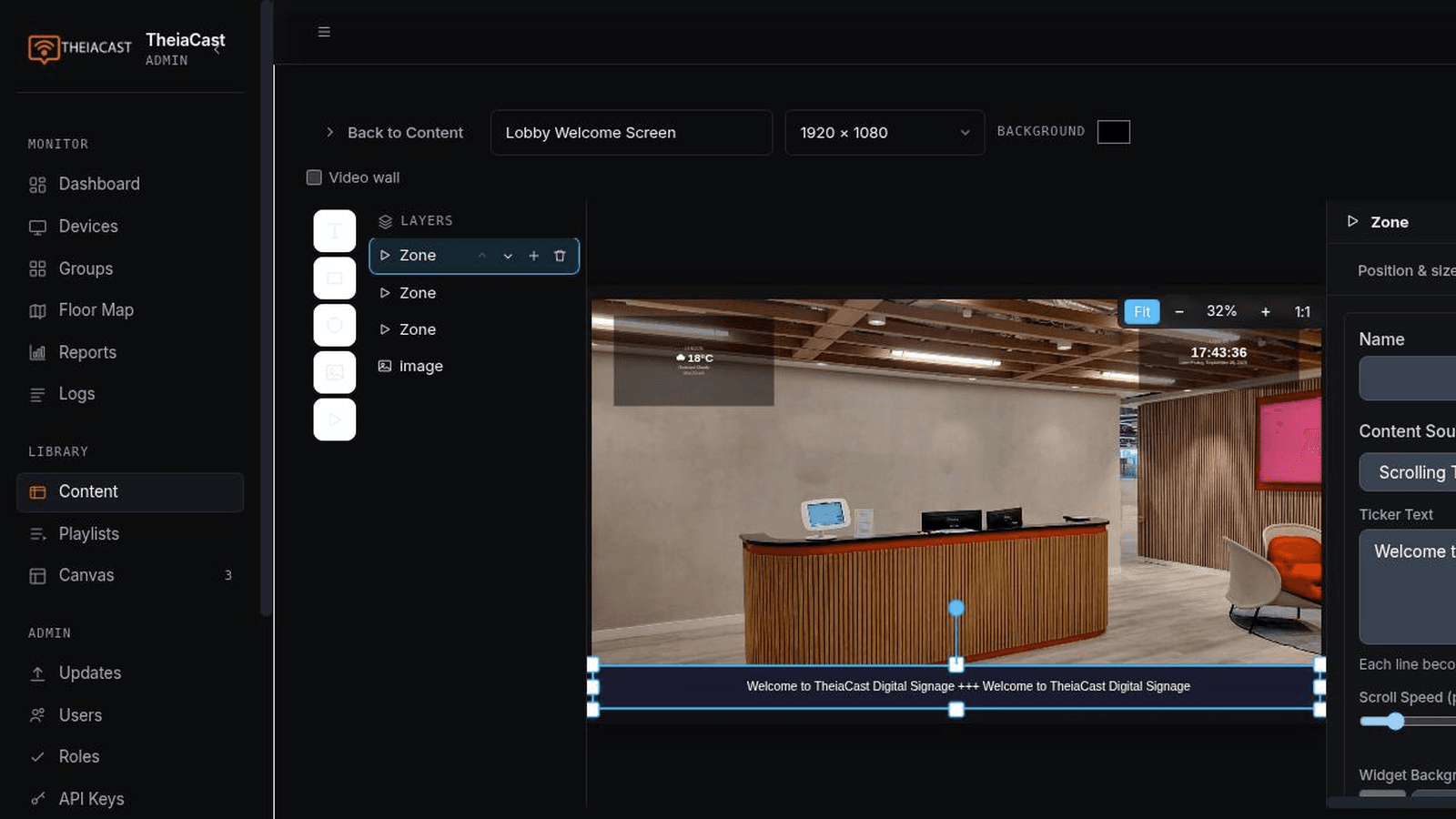
Build free-form designs with text, images, shapes, and live zones for video, web content, and clock, countdown, and weather widgets. Enable per-zone audio, add a video wall, and design once to deploy across your entire fleet.
Floor Map View
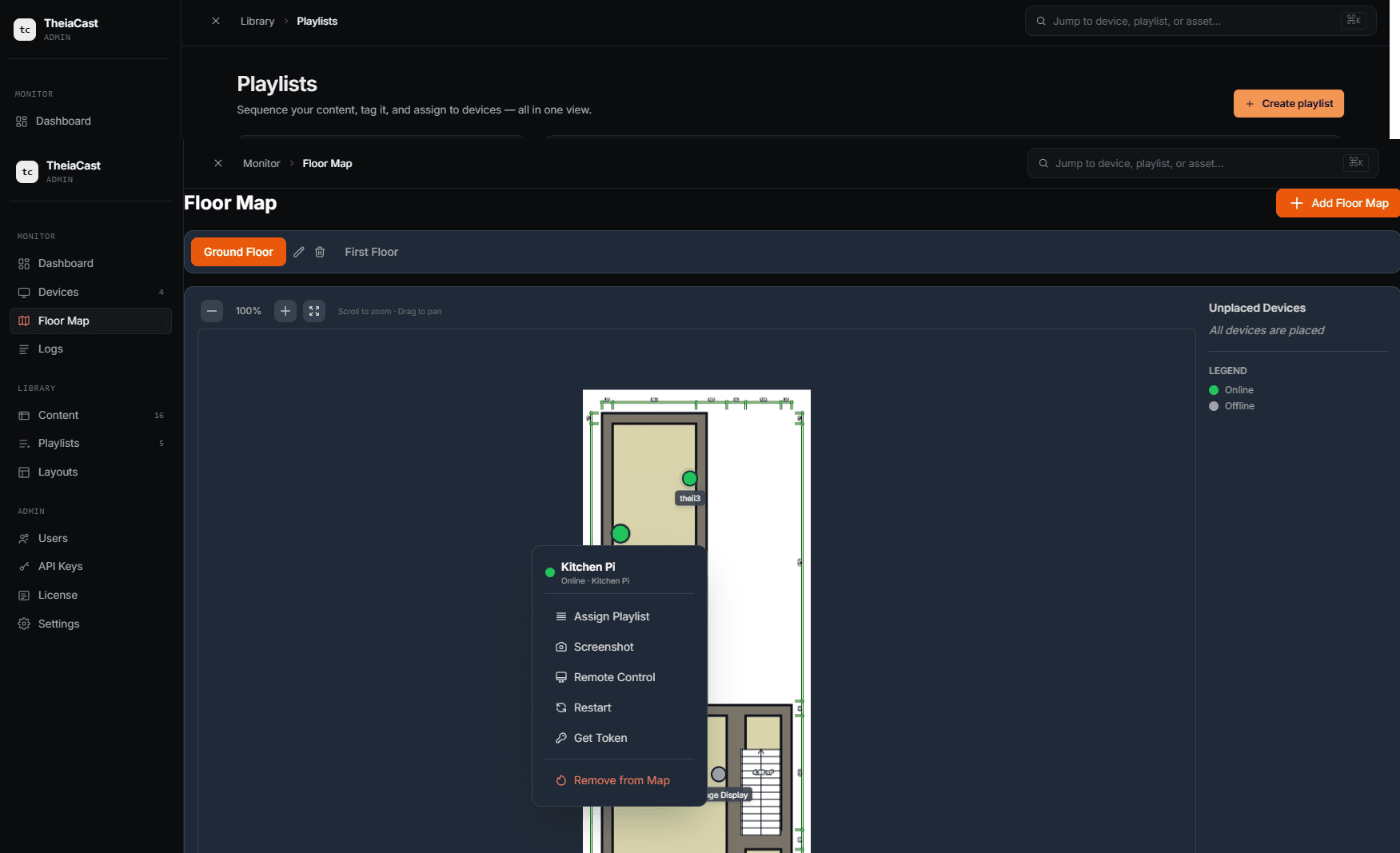
Visualise your displays on an interactive floor map. See device locations and status at a glance to manage installations across any venue.
Technical Specifications
Performance
Compatibility
Experience TheiaCast Today
Start managing your digital signage with powerful playlist controls
Download Now